Team Chat Team Chat Ultimate
Your team’s chat where it already works
Team Chat Ultimate brings channels, threads, calls and AI into the OneMarketer console: one less tool to pay for and manage, with your operation’s context one click away.
Talk to an expert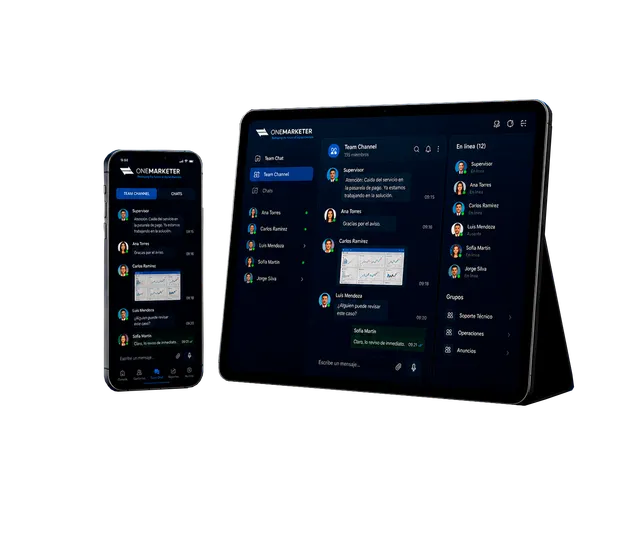
We have advised major brands in 16 countries



































Why your team needs Team Chat Ultimate
-
One less tool
Drop your dependency on Slack or Teams and stop paying separate licenses just to talk.
-
Shared context
The team talks in the same place where it runs campaigns, cases and customers, without switching apps.
-
Migrate without losing history
Import straight from Slack so the switch doesn’t erase past conversations.
-
AI where they already talk
OMNia answers questions using your company’s knowledge base without leaving the channel.
How it works
- 1
Enable and migrate
We enable Team Chat Ultimate in your console and you import channels and messages from Slack.
- 2
Organize channels
Create public, private and announcement channels by area, project or customer.
- 3
Talk and solve
Threads, mentions, Huddles and OMNia to solve things without scheduling meetings.
- 4
Stay on mobile
Install the web app on iOS or Android and get push notifications with your quiet hours.
Features
-
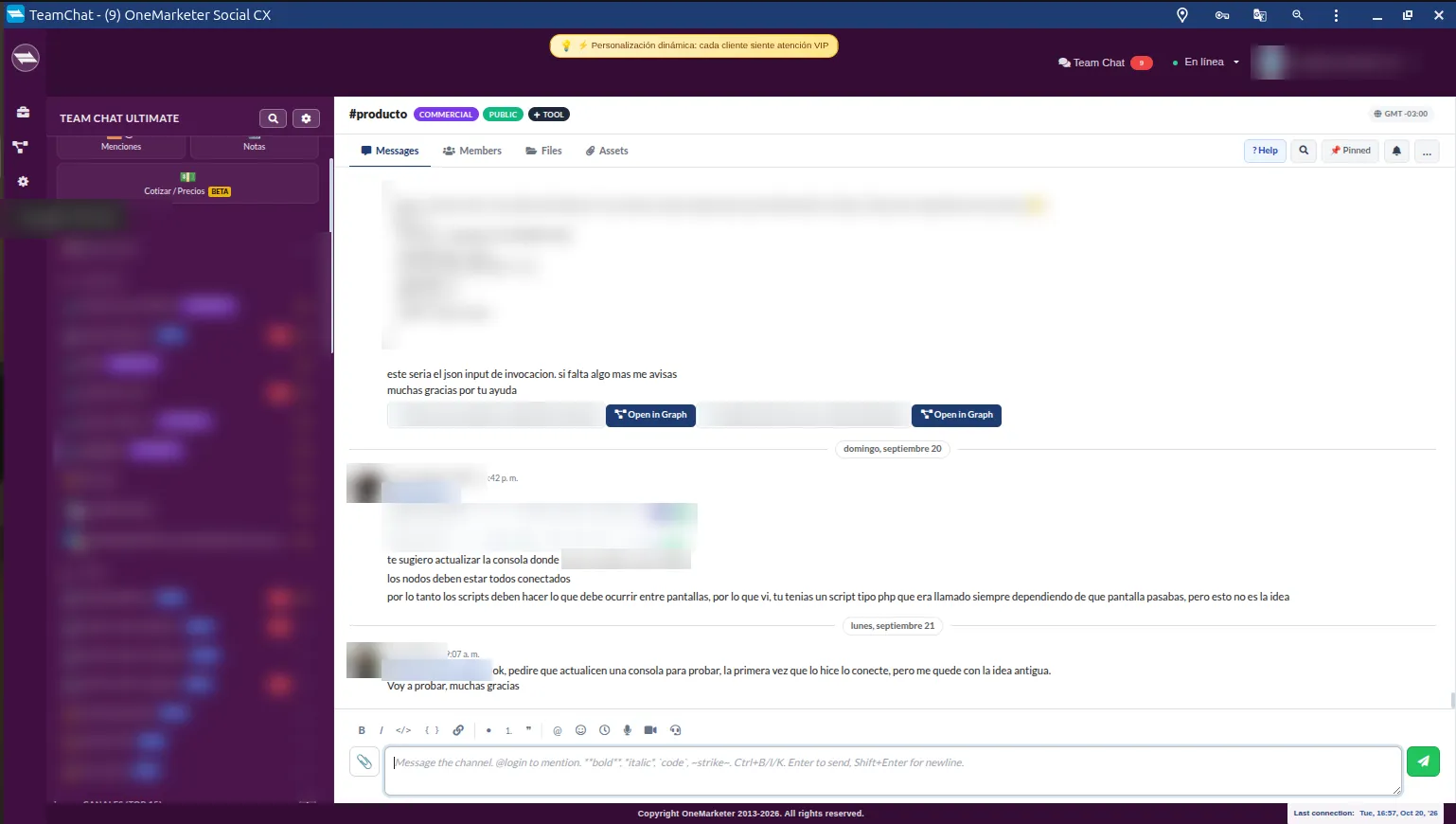
Channels, DMs and groups
Public and private channels, direct messages and groups with threaded conversations.
-
Mentions inbox
Mentions with autocomplete and a dedicated inbox so you never miss a request.
-
Voice and video Huddles
Instant 1:1 calls for quick questions, without booking a formal meeting.
-
Announcement channel
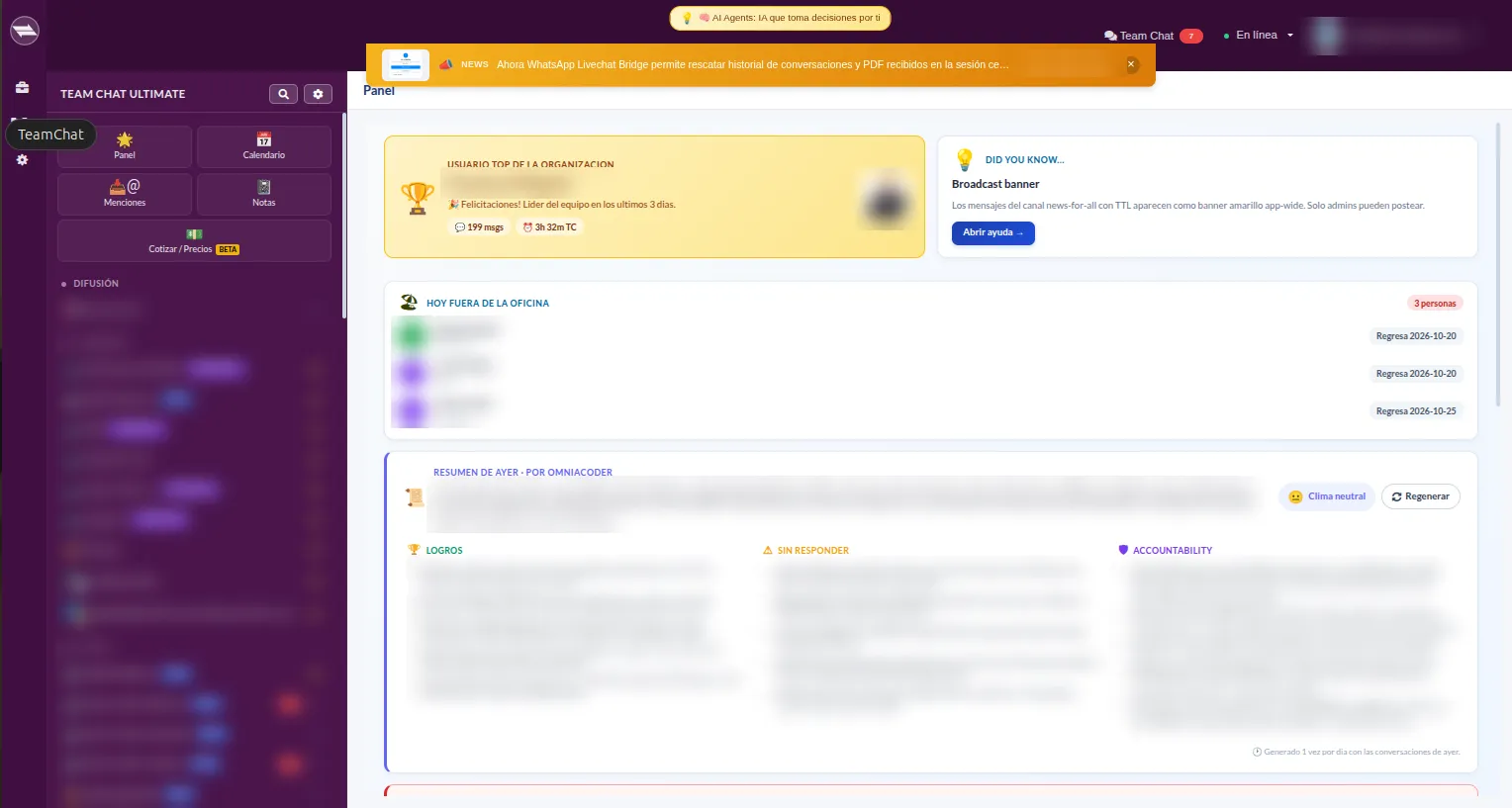
Company-wide announcements with a highlighted banner shown across the console.
-
Web and mobile push
Notifications on desktop, iOS and Android with quiet hours and muted channels.
-
Scheduled messages
Schedule sends, pin key messages, forward and save favorites.
-
Built-in OMNia
AI assistant for technical questions, drafting and summaries with the history as context.
-
Slack import
Bring users, channels, messages and threads from your Slack export.
Use cases
-
Development
Channels with OMNia enabled for technical questions with the history as context.
-
Sales team
OMNia to draft, summarize and analyze, without exposing code or internal paths.
-
Daily operations
Huddles for quick 1:1 questions and channels by shift or service.
-
Internal communications
Company-wide announcements nobody misses, on desktop and mobile.
Frequently asked questions
Can I bring my Slack history?
Yes. An admin imports the Slack export with users, channels, messages and threads.
Does it work on mobile?
Yes. It installs as a web app on iOS and Android and receives push notifications.
What does OMNia do in the chat?
It answers questions using your company’s knowledge base and drafts and summarizes conversations without leaving the channel.
Do I need another chat license?
No. Team Chat Ultimate lives inside the OneMarketer console your team already uses.
Bring your team’s communication together
We’ll show you Team Chat Ultimate with your channels and how to move from Slack without losing history.
Request your demo