Social CX LiveChat
The website chat that never goes down
LiveChat plugs into your website with one line of code and handles high volumes with AI bots and Social CX agents, without losing the conversation’s context.
Talk to an expert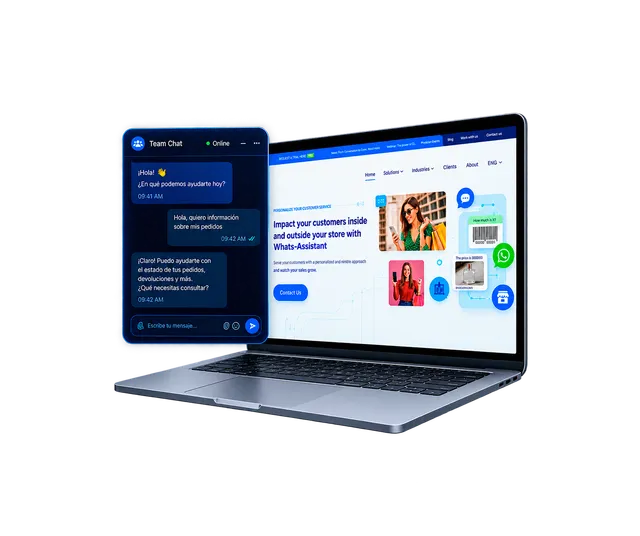
We have advised major brands in 16 countries





































Why implement LiveChat in your company
-
Handles traffic peaks
Absorbs many simultaneous conversations without slowing down or crashing.
-
First-contact resolution
Two-way files, real-time agents and AI bots reduce repeat contacts.
-
Less abandonment
Embedded in the page, it keeps users engaged and reduces cart and form abandonment.
-
Hybrid service
The bot escalates to a human agent in Social CX with all the previous context.
How it works
- 1
Install it on your site
Add the script, pick the bubble position and customize texts and colors.
- 2
The visitor opens the chat
Or it opens automatically based on the rules you set.
- 3
A bot answers first
It replies with buttons, menus and AI, and verifies the customer with a login if needed.
- 4
It escalates to an agent
The conversation moves to Social CX with its full history.
Features
-
JavaScript integration
Installs on your site with a script, no custom development.
-
Customization
Texts, title, subtitle and bubble position in any of the 4 corners.
-
Auto-open
Set when the chat opens so you don’t lose the visitor.
-
AI bots
Automatic AI-powered answers with escalation to agents.
-
Token login
Sign-in window with a security token for private requests.
-
Buttons and menus
Interactive options within the flow to guide the customer.
-
Media files
Send and receive images, documents and other files.
-
Handoff to Social CX
Seamless transfer to an agent with all the context.
Use cases
-
Retail and e-commerce
Automated FAQs, shopping guidance and complaints with attached evidence.
-
Banking, insurance and financial services
Balance checks after login, insurance sales with video escalation and card blocks.
-
Telecom and services
Technical support with visual guides, bill questions and escalation to retention.
Frequently asked questions
How do I install it on my site?
With a JavaScript snippet you paste into your website. Then you customize texts, colors and position.
Can I identify the customer before serving them?
Yes. LiveChat offers a login window with a security token for private requests.
Can the bot hand the conversation to a person?
Yes. The bot escalates to an agent in Social CX and passes along all the previous context.
Can files be sent?
Yes. Customers and agents can send and receive images, documents and other files.
Let’s design your business’s LiveChat
Book a call with our team and we’ll show you LiveChat working on your website.
Request your demo